
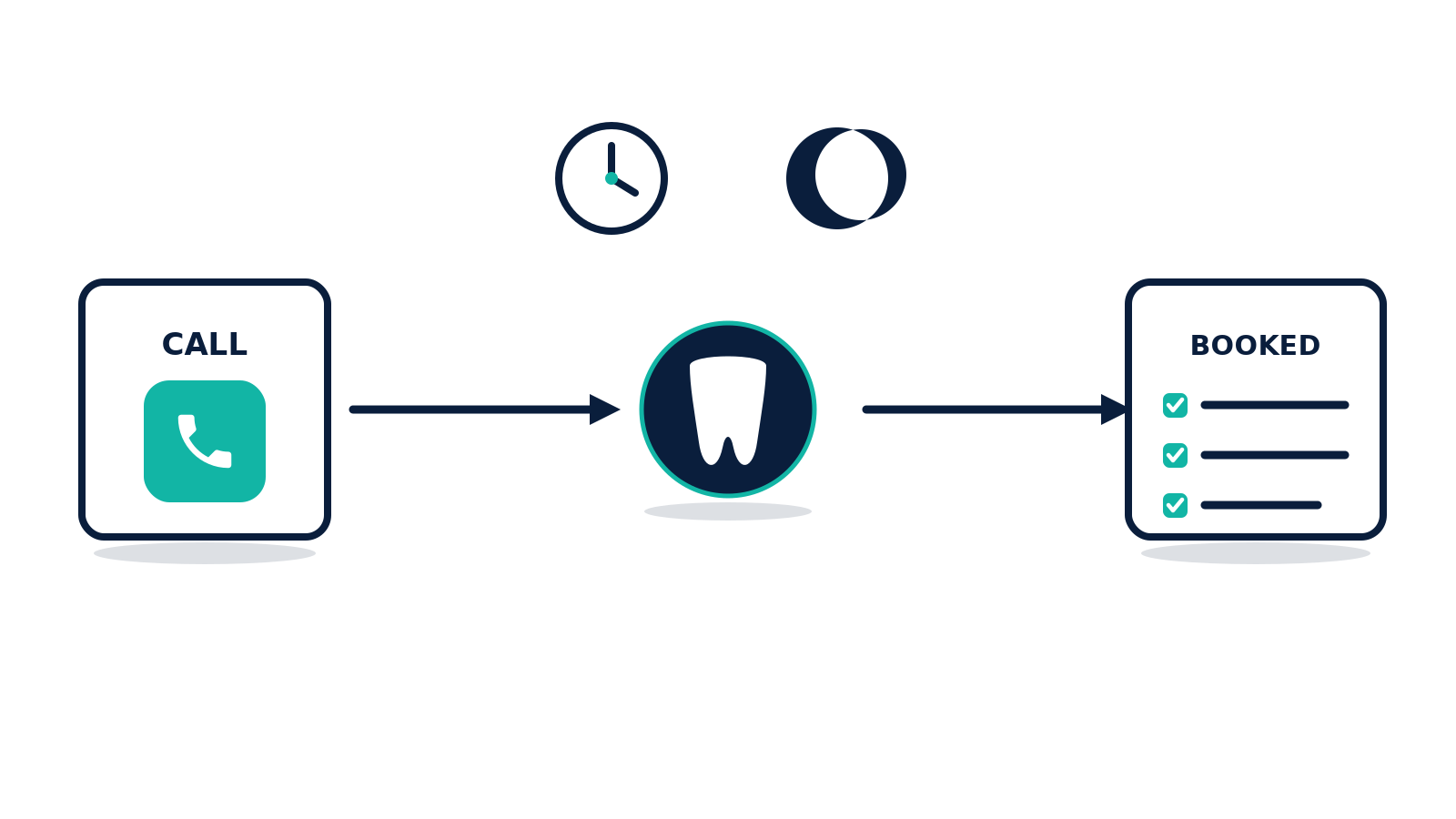
A patient's tooth starts hurting at eight in the evening. Your front desk went home at six, so the call reaches a voicemail box, and many callers never leave a message.
They search again and ring the next practice on the list. By morning, your team has a silent phone and no record that the enquiry ever happened.
An AI receptionist for dental clinics closes that gap. It answers calls and website messages around the clock, asks the questions your front desk would ask, books routine appointments against rules you set, and passes anything urgent or clinical to your team with the details attached.
It is not a diagnosis tool, and it is not a replacement for your front desk. It is cover for the hours the desk is closed, and overflow for the hours the desk is overwhelmed.
This guide stays specific to dental practices. It covers what after-hours enquiries actually look like, which of them a receptionist can safely handle, where the line to your team must sit, and what your practice has to prepare before the first call is answered.
What actually arrives after hours
The overnight queue at a dental clinic is not random. Most enquiries fall into five groups, and the groups matter because each one needs a different kind of response.
- Pain and urgent problems. A toothache that has sharpened overnight, a broken tooth, a lost filling, swelling that was not there at breakfast. The caller wants two things: to be taken seriously, and to know how soon they can be seen.
- Appointment changes. A patient moves or cancels tomorrow's visit, usually calling at night because that is when they remembered. Handled well, the slot is freed in time to offer it to someone else.
- New patient enquiries. Do you take new patients, what does a check-up cost, which insurance do you accept, where are you, is there parking. These callers are comparing practices, and the first useful answer often wins the booking.
- Questions after treatment. A patient who had an extraction yesterday asks what is normal and when they can eat. These need care rather than speed: the details belong in front of the clinical team, not in an automated answer.
- Simple admin. Opening hours, directions, an invoice query, a request for records. Short questions that still deserve an answer before morning.
What an AI receptionist for dental clinics can safely handle
The safe tasks share a shape. Either the answer already lives in your practice information, or the action follows a rule your practice set in advance.
- Answer from your own information. Opening hours, the services you offer, the prices you publish, the insurance you accept, directions and parking. Fixed material, answered the same way every time, never improvised.
- Capture the details your team needs. Name and contact details, whether the caller is an existing patient, what happened, when it started, and what they are asking for. Structured notes your team can act on, instead of a rambling voicemail.
- Book routine appointments. Check-ups, hygiene visits and reviews placed into real diary slots, using the appointment types and lengths your practice defined, and only into slots you opened for booking.
- Move and cancel appointments. Changes handled against your cancellation policy, with the old slot released and the new arrangement confirmed to the patient in the same conversation.
- Log everything. A full transcript and a short summary of every conversation, waiting where your team starts its day. Nothing depends on a patient remembering to call back.
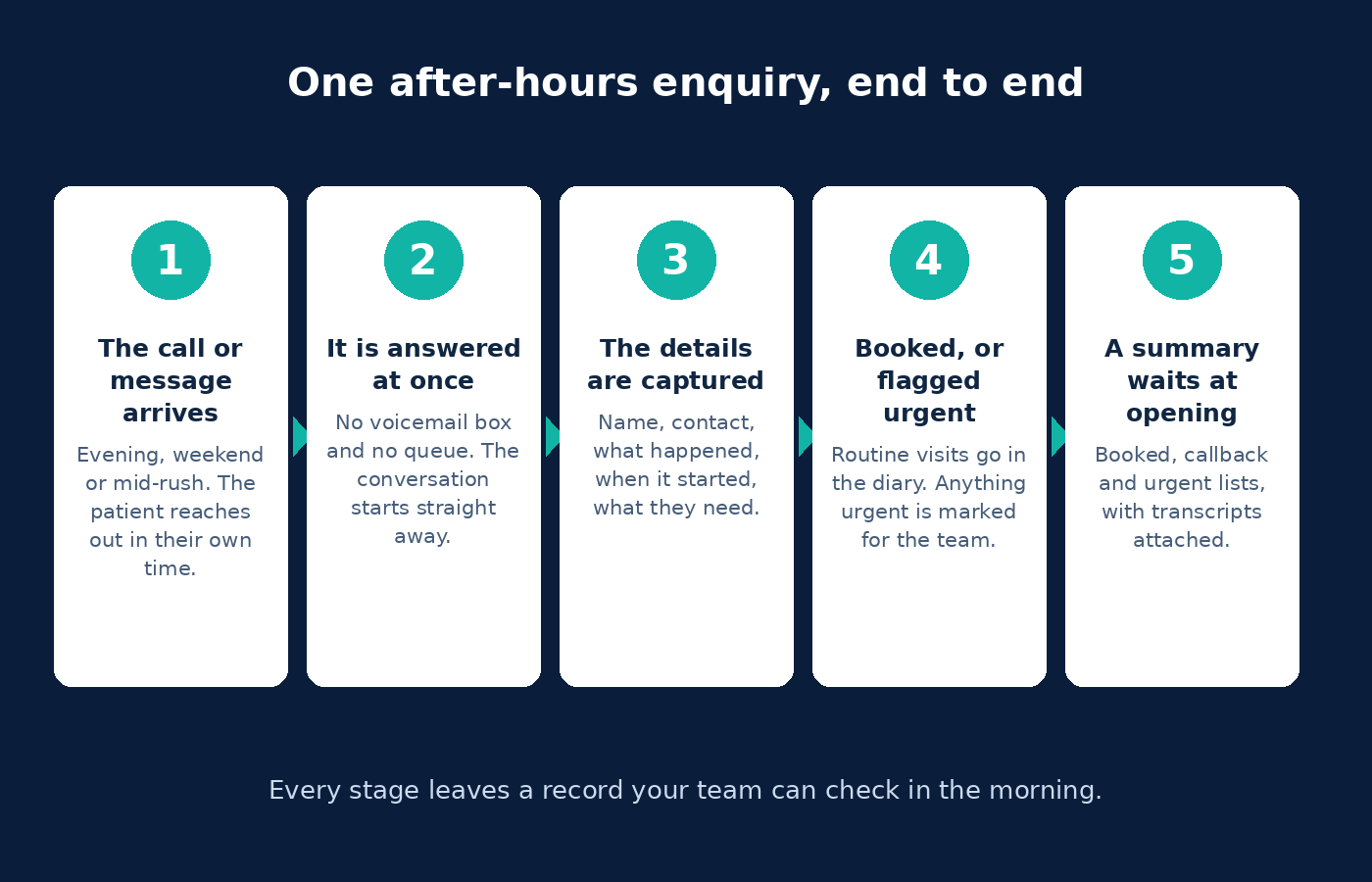
One after-hours enquiry, from first ring to the morning summary.
Where the line to your team must sit
For a dental clinic, the boundary matters more than the feature list. A receptionist that books beautifully but strays into clinical territory is a liability, however natural it sounds.
- No clinical judgement. It never diagnoses, never says whether a symptom is serious, and never advises on medication or treatment. Its clinical role is to ask, record and route. Every judgement stays with the dental team.
- Emergencies are directed, not handled.
- Callers describing the situations your practice defines as emergencies, such as uncontrolled bleeding, swelling that affects breathing or swallowing, or a serious facial injury, are told to seek urgent or emergency care immediately.
- That direction uses wording your dentist approved. The practice writes those sentences, not the software.
- Uncertainty is escalated, not answered. If the answer is not in the practice information, the receptionist says so, takes the caller's details and promises a follow-up from the team.
- A confident wrong answer about a price or a policy does more damage than an honest admission.
The same discipline applies in writing. Our guide to AI chatbots for customer support covers handoff design in more depth, and the principle is identical: automate the preparation, keep people on the decisions.
Prepare the practice before the first call
An AI receptionist answers from material you give it, so setup is mostly decisions, written down once. Five preparations decide whether the first month goes well.
- Your appointment rules. Which appointment types it may book, how long each one takes, which diary slots are open to after-hours booking, and how much notice a change or cancellation needs.
- Your standard answers. The prices you publish, the insurance you accept, how new patients join, and the preparation and aftercare sheets you already hand to patients.
- Your emergency wording. The exact sentences for urgent symptoms and for out-of-hours emergencies, approved by the treating dentist, with nothing left for the system to improvise.
- Your escalation path. Who receives urgent flags, where the morning summaries land, and what counts as urgent enough to alert someone overnight.
- Many practices alert nobody and review everything at opening time, which is fine, as long as it is a decision rather than a default.
- A week of test calls. Before patients hear it, staff call in as patients: a toothache, a cancellation, an insurance question, and one question it should refuse to answer clinically. Fix what the test calls expose.
The morning handoff is the real product
The booked appointments are only half the value. The other half is what the front desk finds at opening time: a short, ordered list instead of a voicemail box.
Booked visits already sit in the diary with contact details confirmed. Requests that need a callback are listed in the order they arrived, with the caller's own words attached.
Anything urgent is flagged at the top with its transcript, so the first clinical decision of the day is made by a person who can see the whole picture. Review that list weekly during the first month and treat it as a tuning exercise. Questions the receptionist could not answer become additions to its information.
A booking that should not have been offered means a rule needs tightening. An urgent flag that was not urgent means the wording needs adjusting. The system improves through these small corrections, not through a bigger launch.
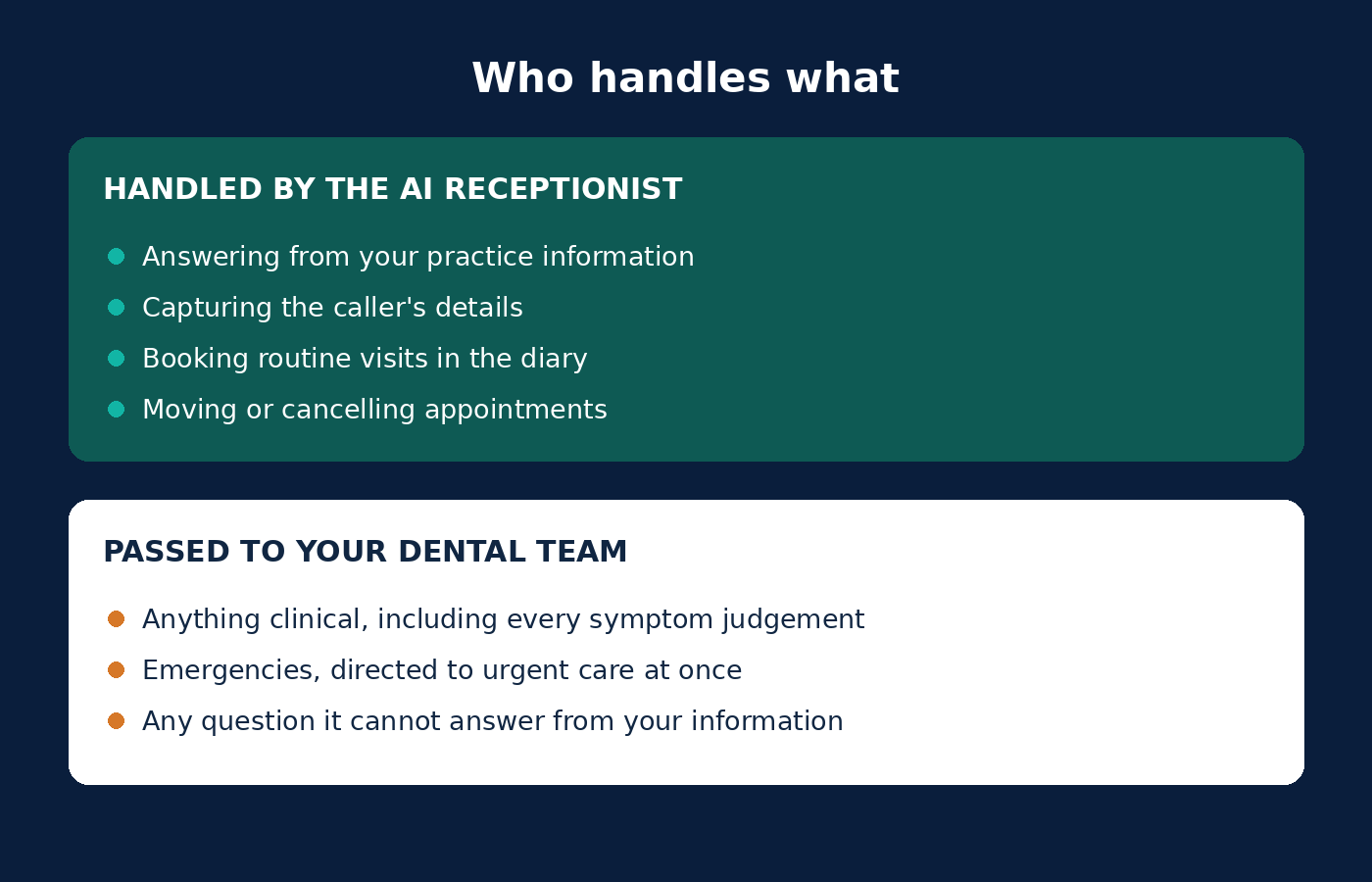
The boundary that matters: preparation by the receptionist, decisions by the team.
How Devxer Pros handles this for dental clinics
A disclosure before the recommendation: Devxer Pros is our own service at DevxerTech, built specifically for dental practice intake and scheduling. It answers voice calls and website chat around the clock, works from each practice's own knowledge base, and sorts enquiries by how soon the patient needs to be seen. It does so without offering clinical advice, books into the practice calendar, and leaves every conversation in a lead inbox for the team to review.
The Devxer Pros page for dental clinics walks through a live example if you want to see the shape of it. Other products exist, and whichever you consider, judge it against the boundaries in this guide rather than the length of its feature list. You can also watch the demo video to see a call handled from first ring to booked visit.
Devxer Pros AI Receptionist Demo for Dental Clinics
A short demo of the Devxer Pros AI receptionist for dental clinics in action.
Watch on YouTubeFrequently asked questions
Will an AI receptionist give patients dental advice?
It should not, and a setup that does is configured wrongly. Its role is limited to asking structured questions, recording the answers accurately and routing the case to your team. Diagnosis and treatment advice stay with the dental team, always.
What happens if someone calls with a real emergency?
The receptionist uses the emergency wording your practice approved in advance. Callers describing symptoms your practice has defined as emergencies are directed to urgent or emergency care straight away, and the call is logged and flagged for your team. The system never tries to assess the case itself.
Does it replace the front desk?
No. It covers the hours the desk is closed and the moments the desk is busy, and it takes the repetitive first contact: answering, capturing details, booking routine work. Relationships, complex scheduling and every clinical question stay with your staff, who start the day with better information than a voicemail box ever gave them.
What does the practice need to provide for setup?
Four things: your appointment rules, your standard patient answers, your approved emergency wording, and access to the calendar it should book into. Most of the effort is deciding these once and writing them clearly, rather than any technical project.
Start with the night shift
Scope the first deployment tightly: after-hours and overflow only, routine bookings only, and every conversation reviewed each morning for the first few weeks. That is the same advice we give for any first AI automation project: one bounded job, watched closely, and widened only when the results say it is ready.
For a dental clinic, the night shift is the natural first job, because the alternative it replaces is a voicemail box. If you would like help scoping an AI receptionist for dental clinics, talk to DevxerTech about your front desk and bring your three most common after-hours calls. We will map them against the boundaries in this guide before anyone talks about software.

