
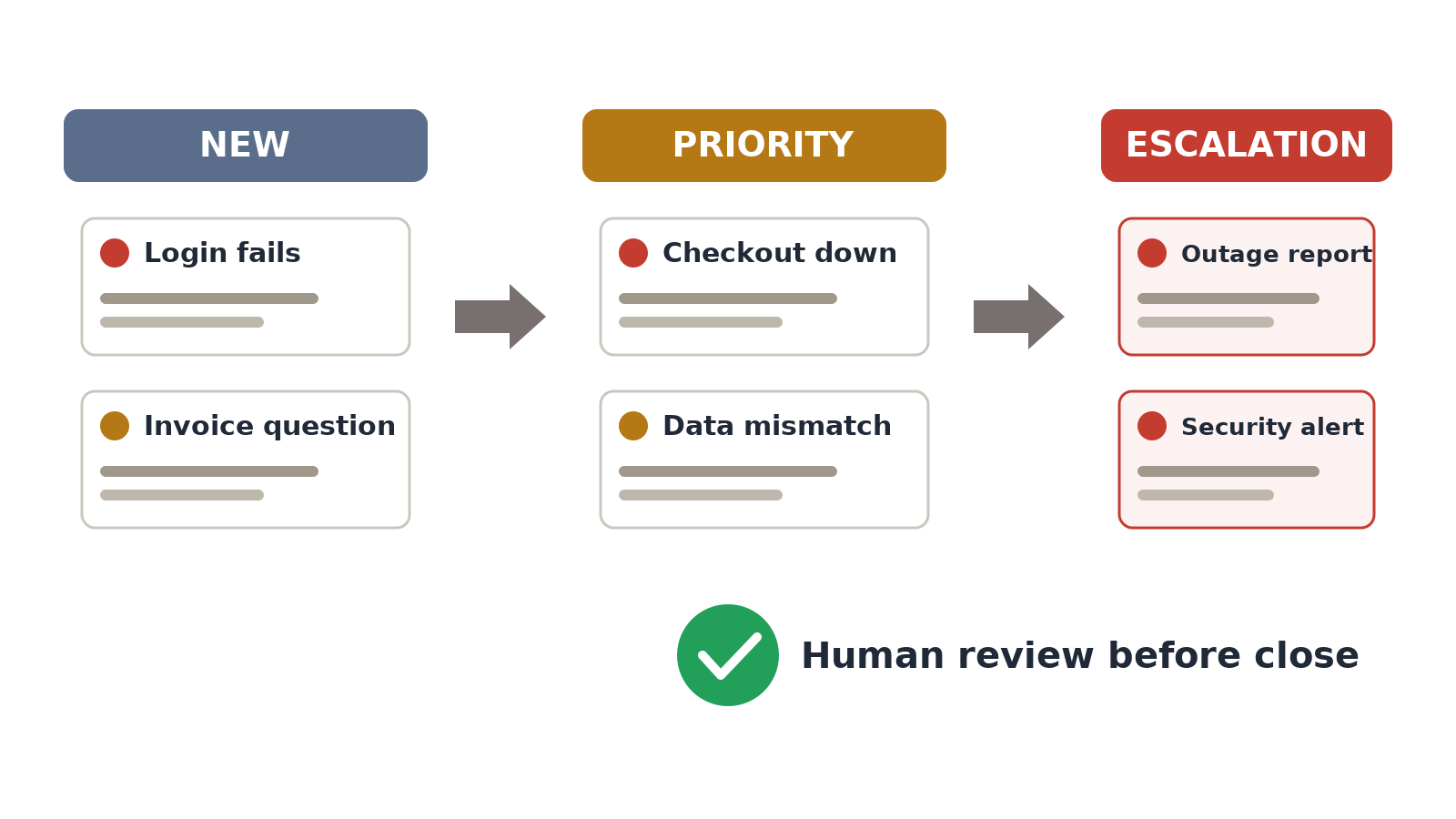
A customer writes in about a login that fails. Another reports a checkout that will not load. A third asks about an invoice, and all three tickets land in the same pile.
The pile grows during the day, and the team answers whatever is on top. Urgent work waits behind easy work, and no one can say which ticket matters most.
The direct answer is this: AI helpdesk ticket triage works when priority comes from impact, routing goes to the person who can close the ticket, and a human reviews the result. This guide is for support leads at small and medium businesses who want a queue that shrinks in the right order, not just a faster pile.
Sort by impact before you sort by age
Age is the easiest way to sort tickets, and it is often the wrong one. A password reset from yesterday matters less than a checkout failure from ten minutes ago.
Score impact first: how many customers are affected, and what stops working for them. A single customer locked out is urgent for that customer, but a broken checkout affects every order.
Add urgency second: a deadline, a launch, or a payment at risk. Impact times urgency gives a priority the whole team can explain.
Write the score on the ticket where everyone can see it. When a ticket jumps the queue, the reason should be visible, not a private judgement.
Route each ticket to the person who can close it
A ticket that bounces between people costs more than a slow answer. Each handoff adds a wait, a re-read, and a chance to lose the thread.
Route by the fix, not by the team name. A billing error goes to the person who can change the invoice, even if that person sits in finance.
Set a named owner for each lane: product, billing, access, and delivery. An owner who is away needs a named backup, not an empty queue.
Keep the customer in the loop when the ticket moves. A short note that says who owns it now, and when the next update comes, stops the second ticket about the same problem.
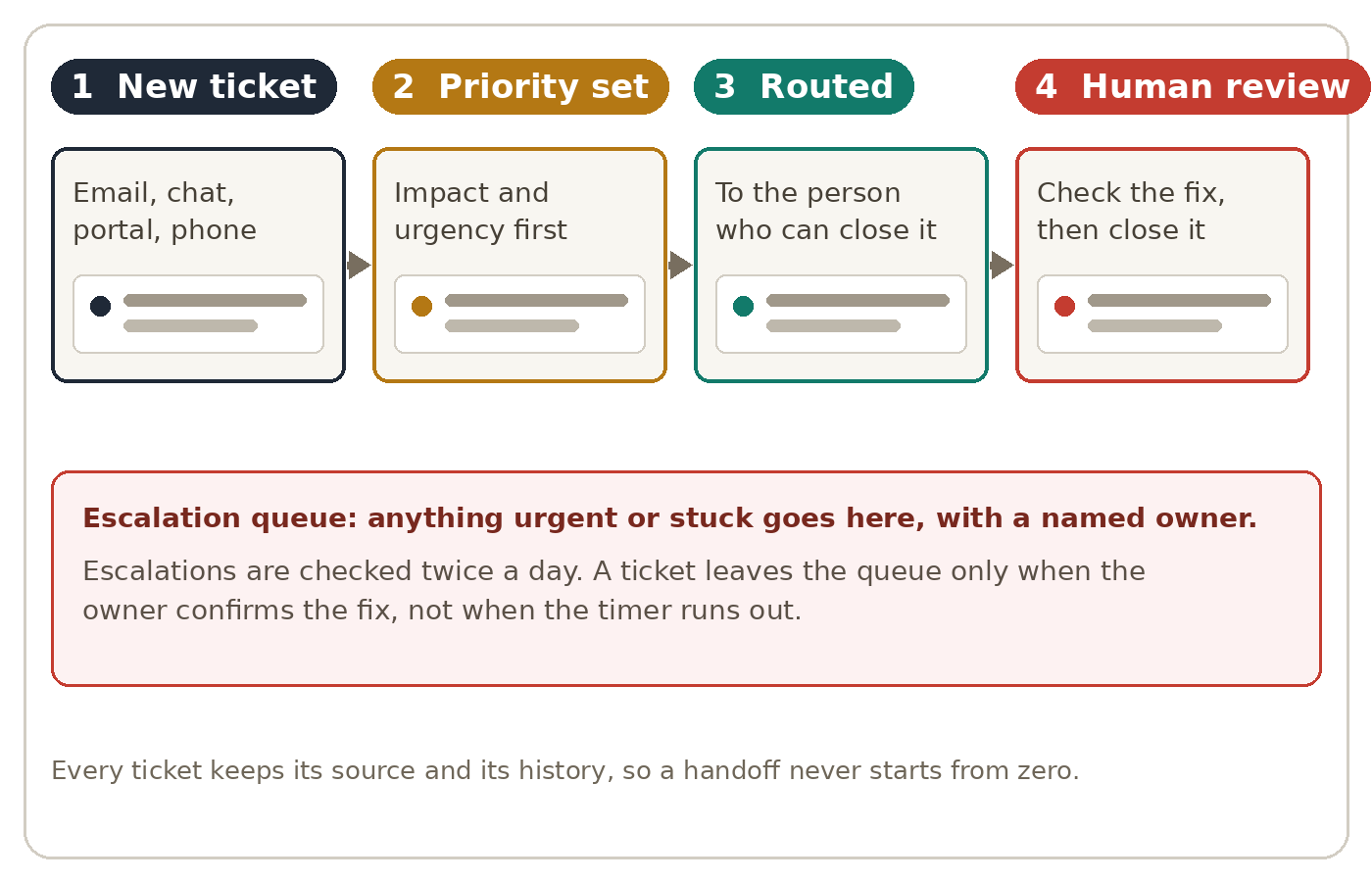
From new ticket to human review: set priority, route to the fixer, and check the result before closing.
Keep a human in the review loop
Automation can sort and route, but it should not close tickets on its own. A closed ticket that is not fixed will come back angrier, and harder to trace.
Let the system draft the reply, not send it. A person checks the fix, the tone, and the next step before the customer hears back.
Review the queue twice a day, not once a week. A short review catches the ticket that was scored wrong before it waits a week.
Our guide to AI chatbots for customer support explains what to automate and when to involve your team, so the handoff stays human where it matters. Sorting incoming messages is the step before triage. See our guide to AI email triage for small business, which covers sorting, assigning, and review.
A short checklist: AI helpdesk ticket triage
- Impact scored. Every ticket carries an impact and urgency score the team can explain.
- Owner named. Each lane has one owner and one backup, and no ticket sits unowned.
- Routing by fix. Tickets go to the person who can close them, not just the nearest team.
- Human review kept. No ticket closes without a person checking the fix.
- Escalation queue watched. Urgent or stuck tickets have a named owner and a twice-daily check.
- Customers updated. Every move and every wait comes with a short note to the customer.
Frequently asked questions
How many tickets can one person triage in a day? It depends on the mix. Simple requests move fast, and complex ones need reading time. Start by timing a sample week, then set the load from that, not from a guess.
Should the system auto-close tickets it thinks are fixed? No. Let it draft the closing note, and let a person confirm the fix first. An auto-closed ticket that is not fixed costs more than the time it saved.
What if a ticket fits two lanes? Pick the lane that owns the fix, and note the second lane on the ticket. The owner can pull in help without the ticket bouncing.
A practical takeaway
A queue that shrinks in the right order is a habit, not a purchase. Score impact, route to the fixer, and review the result.
Start with one lane this week, such as billing or access. When AI helpdesk ticket triage works there, add the next lane. If you want a triage workflow built around your tickets, lanes, and owners, talk to DevxerTech AI services about a setup that fits the way you work.

