
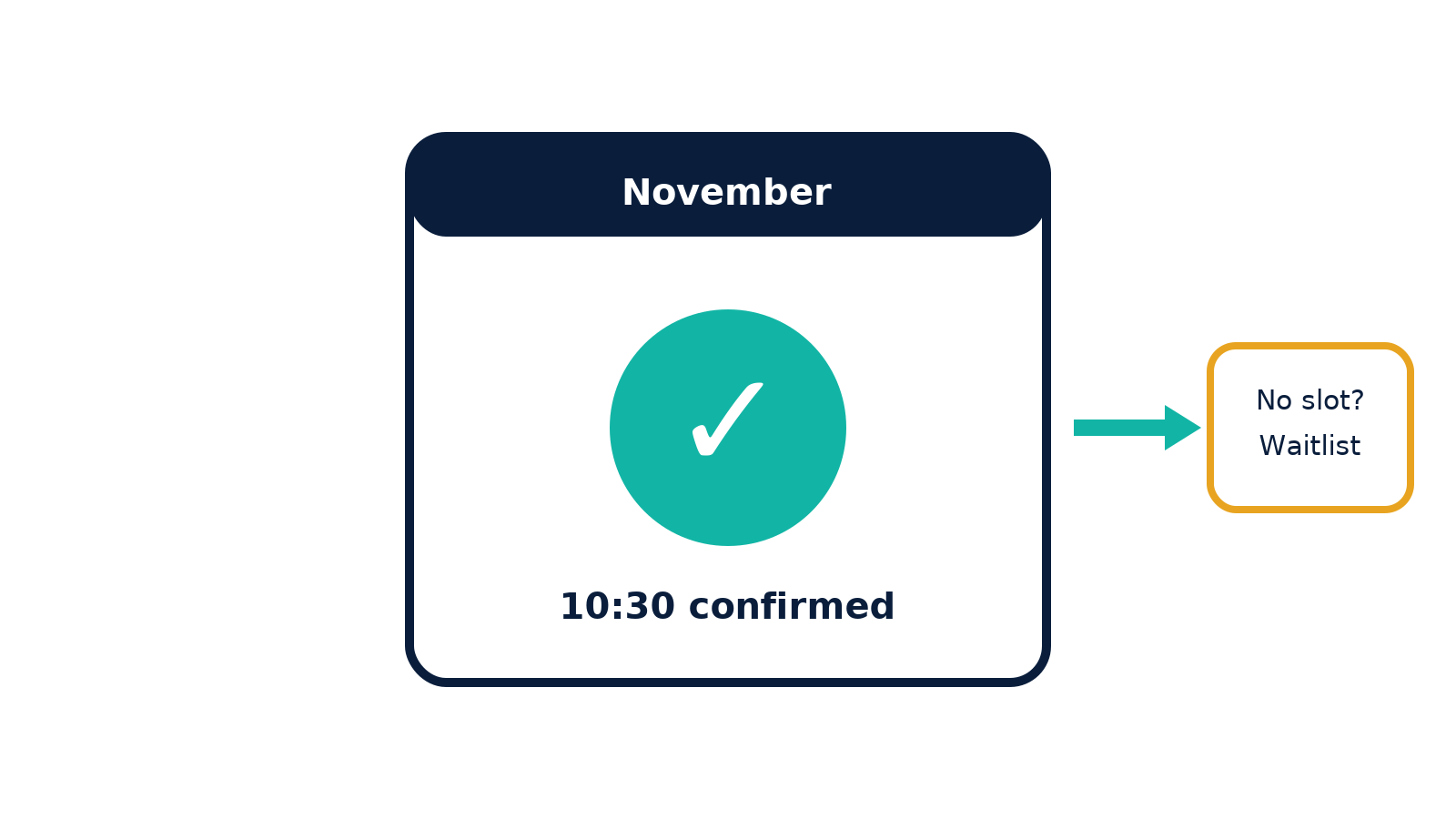
A customer calls a clinic at 8:40 in the morning and asks for an appointment tomorrow at 4 pm. The assistant replies that the request has been noted and someone will confirm later.
By the time a staff member calls back, the customer has booked elsewhere. Nothing went wrong with the conversation.
The booking itself never happened. An AI appointment booking assistant exists to close that gap. It checks real availability, confirms a booking in writing, and handles the cases where no slot fits.
This guide explains how that works, what rules a business must set before launch, and where a person should still take over. It is written for appointment-based business owners and operations managers, and it assumes no particular software.
The direct answer is this: a booking assistant is only useful when it can read the live calendar. An assistant that collects requests without checking availability is a message taker, not a booking assistant. The difference matters because customers treat a confirmed time as a promise, and a business that breaks that promise loses trust faster than one that never offered the slot.
A request is not a booking
Three states get mixed up in booking conversations, and keeping them apart prevents most complaints.
- Request. The customer has asked for a time. Nothing has been checked or held yet.
- Held slot. A time has been checked against the calendar and held briefly while details are taken. It is not confirmed until the customer receives written confirmation.
- Confirmed booking. The appointment is written in the calendar and the customer has the details in writing: day, date, time, service, and how to change it.
A fourth state deserves its own label too: exception. An exception is any booking that cannot follow the normal path, such as no suitable slot, a service that needs a longer appointment, or a request that needs a person.
Exceptions are normal. A booking system without a clear exception path will invent answers instead, and invented availability is the most expensive failure in this area.
How an AI appointment booking assistant works, step by step
A booking follows five steps. Each step has one job, and skipping a step is how double bookings and confused customers happen.
1. Understand the request. The assistant identifies the service, the preferred day or window, and any constraint the customer mentions, such as a named team member or a morning only preference.
2. Check the rules. Before looking at the calendar, the assistant applies the business rules: which services take how long, which staff members can deliver them, and how much notice is required.
3. Check live availability. The assistant reads the live calendar and offers only slots that fit the service, the staff member, and the rules. It never offers a time it has not checked.
4. Hold, then confirm. The chosen slot is held while the assistant collects the details it needs, then the booking is written to the calendar and confirmed in writing at once.
5. Remind and follow up. Reminders go out before the appointment, changes are easy to make, and a missed appointment gets a polite rebooking message rather than silence.
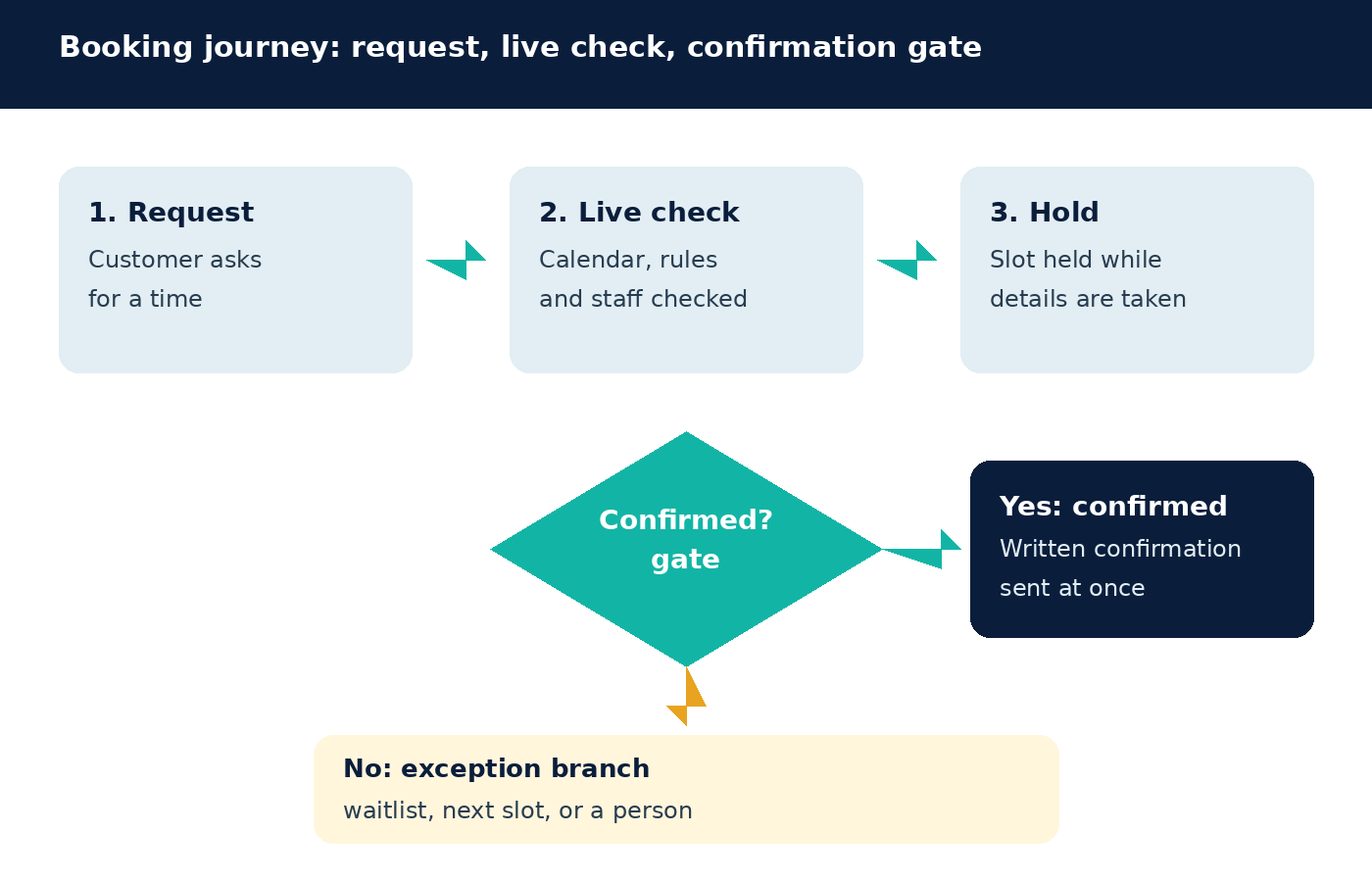
Notice what the assistant does not do at any step: it does not guess. If a rule is missing or the calendar cannot be read, the honest response is to collect the request and hand it to the team for confirmation, with the customer told plainly that confirmation will follow. That honesty protects the business far better than a confident but wrong answer.
The booking rules to set before launch
Availability is not just an empty calendar. It is the calendar filtered through rules the business owns. Setting these rules before launch is the main setup job, and most of them are decisions only the business can make.
- Service durations. Each service needs a real duration, including setup or tidy up time where that applies. A 45 minute consultation booked into a 30 minute slot will run late all day.
- Buffers. Gaps between appointments for travel, notes, or preparation. Buffers are part of availability, not wasted time.
- Lead time. How soon a booking can start. Same day bookings may suit one business and cause chaos for another.
- Booking window. How far ahead customers may book. A window that is too long fills the diary with bookings that later move.
- Staff eligibility. Which team members deliver which services, and who is unavailable on which days. Availability for the wrong person is not availability.
- Blackout times. Lunch, meetings, holidays, and maintenance. If the calendar does not know about them, the assistant will offer them.
- Cancellation and notice policy. How late a customer may cancel or move a booking, stated at booking time and again in reminders.
Write these rules down in one place and review them when services, staff, or hours change. An assistant that runs on last season's rules will offer last season's availability, and the team will discover the error from an angry customer.
Availability: the check that must be live
Live availability means the assistant reads the calendar at the moment of booking and writes the booking back to it. That single property separates a booking assistant from a booking form.
A form collects a preference. A live check makes a promise the business can keep.
Calendar compatibility is therefore the first technical question to settle, before any conversation design. Different businesses use different calendars, and not every tool connects to every calendar in both directions.
Confirm in advance that the assistant can read free and busy times, write confirmed bookings, and see changes made by staff afterwards. If staff move a booking in the calendar and the assistant still offers the old slot, the business has two diaries, and customers will pay for the confusion.
Where live access is not available, the assistant must be instructed clearly: never state that a slot is available or booked. Its job in that case is to collect a complete request, explain that the team will confirm, and give a realistic time for that confirmation. A request collected honestly is useful.
A booking promised falsely is a complaint waiting to happen. For a receptionist-focused solution that connects to the calendar, explore Devxer Pros, Devxer Technologies' product offering for website chat, voice inquiries and appointment workflows. Its homepage states that it connects directly to the calendar for booking and that compatibility is confirmed during pilot setup, which is exactly the check this section recommends.
Confirmation: what a good confirmation contains
Confirmation is the moment trust is created. A vague confirmation creates doubt, and doubt creates a second call to check. A good confirmation answers every question the customer might ask on the way there, in one short message.
Every confirmation should include the day and date read back in full, the start time, the service, the named team member where one was chosen, the location or link, and anything the customer should bring or prepare. It should also include a simple way to confirm, move, or cancel. Reading the day and date back matters: a customer who meant next Tuesday and heard this Tuesday will arrive a week early, and the business will carry the cost.
The following example is illustrative. Each business should use its own details and tone:
Your consultation is confirmed for Tuesday 10 November at 10:30 with Sarah. Please arrive five minutes early and bring your referral letter. To move or cancel, reply to this message.
Send the confirmation at once, while the conversation is still fresh. A booking confirmed an hour later feels uncertain, and an uncertain customer keeps looking for alternatives. If the booking was made by phone, a written message after the call is still worth sending, because spoken times are easy to mishear.
Exceptions: where bookings go wrong
Normal bookings are easy. Exceptions decide whether customers trust the system. Plan for these cases before launch, and test each one, rather than discovering them through real customers.
No suitable slot. Offer the nearest real alternatives, then the waitlist, then a callback. Never offer a time that does not exist, and never leave the customer with no next step.
Wrong service or duration. When the request does not match a standard service, the assistant should ask a clarifying question and, if the answer is still unclear, hand over to a person with the conversation summary attached.
Named person unavailable. Offer the same service with another qualified person, or the named person at a later time. Do not silently substitute one person for another.
Urgent request. Pain, a breakdown, a safety issue, or a deadline the business treats as urgent should go to a person at once, with the urgency flagged. An assistant should never assess urgency it is not qualified to judge.
Repeat no-shows. A customer who has missed several appointments may need a different approach, such as a confirmation call from staff or a deposit policy where the business already uses one. The assistant should flag the pattern, not punish the customer on its own.
Sensitive or complex request. Anything involving personal circumstances, complaints, or a decision the business would normally handle with care belongs with a person. The assistant collects the facts and hands over promptly.
For each exception, decide three things in advance: what the assistant says, what it offers next, and who owns the case afterwards. An exception with no owner is just a delayed complaint.
Reminders and no-shows without nagging
Reminders work best as a short sequence with a clear purpose at each step. The confirmation goes out at booking time.
A reminder a day or two before gives the customer time to move the appointment if plans changed, which also frees the slot for someone else. A short final note on the day covers the practical details: where to go, what to bring, and how to reach the business.
Every reminder should let the customer confirm, move, or cancel with minimal effort. A customer who can move an appointment in one reply is far less likely to simply not arrive.
Keep messages short, keep personal details out of them, and stop the sequence the moment the customer confirms. Sending reminders after confirmation reads as careless, and careless systems lose trust.
Consent matters here. Customers should have agreed to receive reminders on that channel, and every message should offer a simple way to stop them.
A missed appointment still deserves a kind follow-up offering a new time, not a reprimand. The goal is a filled diary, not a scolding, and a customer who missed once may still become a regular.
Track the results by appointment type: how many bookings were confirmed, moved, cancelled in time, or missed. Those counts, reviewed monthly, show which services need different reminder timing and which rules need adjusting. Do not judge the system on one busy week.
Testing before you trust it
Test the assistant the way customers will actually use it, including the awkward cases. A launch checklist that only covers the happy path is a promise the business has not checked. Run each of these tests and fix failures before customers meet the system:
- Book the same slot twice. Two requests for the same time must never both succeed.
- Book outside opening hours. The assistant must not offer times the business is closed.
- Ask for a named person on their day off. The assistant must offer a real alternative, not the unavailable person.
- Move and cancel a booking. Both must update the calendar and stop further reminders.
- Ask an urgent question. The assistant must hand over to a person with context, not attempt to judge the situation.
- Give a vague request. The assistant should ask one clarifying question, not guess a service.
- Change a booking in the calendar by hand. Staff changes must be visible to the assistant afterwards.
Keep the test list and rerun it whenever rules, services, or calendar tools change. Booking logic is quiet when it works and loud when it fails, so the cheapest time to find a fault is before launch.
A short setup checklist
Use this checklist as the acceptance standard for any booking assistant, whether built in house or bought as a configured product:
- Calendar connected both ways. Reads availability and writes confirmed bookings.
- Rules documented. Durations, buffers, lead time, booking window, staff eligibility, and blackout times.
- Confirmation template agreed. Day, date, time, service, person, location, preparation, and change options.
- Exception paths written. No slot, wrong service, unavailable person, urgent request, and sensitive request.
- Reminder sequence and consent agreed. Timing, channels, opt-out, and stop on confirmation.
- Handoff owner named. Every exception has a person or team responsible for it.
- Tests passed. Double booking, closed hours, moves, cancellations, and staff calendar changes.
Watching a booking flow helps make these steps concrete. This immigration consultation demo from the company channel shows an assistant finding a slot with the right consultant and confirming the booking, presented as an industry example. The practice shown in the demo is fictional, so treat it as a demonstration of the flow, not as evidence about any real business.
When a person should take over
A booking assistant handles routine bookings well. People handle judgement, and the handoff between the two should be instant and complete.
Hand over when the request is urgent, sensitive, disputed, or complex, when the customer asks for a person, or when the assistant has already failed once in the same conversation. A second failure without a handoff is how a routine enquiry becomes a lost customer.
A good handoff includes the conversation so far, the service requested, the slots already discussed, and the reason for escalation. The customer should never have to repeat the story.
Staff who receive a bare name and number will call back with questions the customer already answered, and the customer will rightly wonder why the assistant existed at all. For the wider picture of keeping enquiries covered outside opening hours, see our guide to after-hours call answering.
For the step before booking, when an enquiry still needs qualifying, see our guide to AI lead qualification. That wider picture matters because booking is one step in a longer journey. A customer who is answered promptly, qualified fairly, and booked accurately is far more likely to arrive, and far more likely to return.
Frequently asked questions
Does a booking assistant need access to my calendar?
Yes, for confirmed bookings. Without live access it can collect requests, but it cannot promise a time. Confirm both directions of the connection before launch: reading availability and writing bookings.
What stops two customers booking the same slot?
The slot is checked at booking time and held while details are taken, then written to the calendar. Test this deliberately with two simultaneous requests before launch, because a race between two bookings is exactly the failure customers notice.
Can customers move or cancel through the assistant?
They should be able to, through the same channel they booked on, and the change must update the calendar and stop reminders. A booking that is easy to make but hard to change produces no-shows.
What happens when no slot fits?
The assistant offers the nearest real alternatives, then the waitlist, then a callback from the team. It never invents a time, and it never leaves the customer without a next step.
Should the assistant handle urgent requests?
No. Urgent requests go to a person at once, with the urgency flagged and the conversation attached. The assistant can collect facts quickly, but judging urgency is a human decision.
A practical takeaway
Judge an AI appointment booking assistant on three promises: it offers only times the calendar truly holds, it confirms every booking in writing at once, and it handles exceptions with a clear next step and a named owner. Everything else, reminders, waitlists, and friendly conversation, supports those three promises. Set the rules before launch, test the awkward cases, and keep a person one step away for anything the assistant cannot judge.
If booking accuracy is the gap in your front desk, talk to DevxerTech about AI services. For customer conversations and lead qualification, see our chatbot development service. Start with the checklist in this guide, and treat the first month as a trial: review the exception cases weekly, fix the rules that caused them, and only then call the system finished.

