
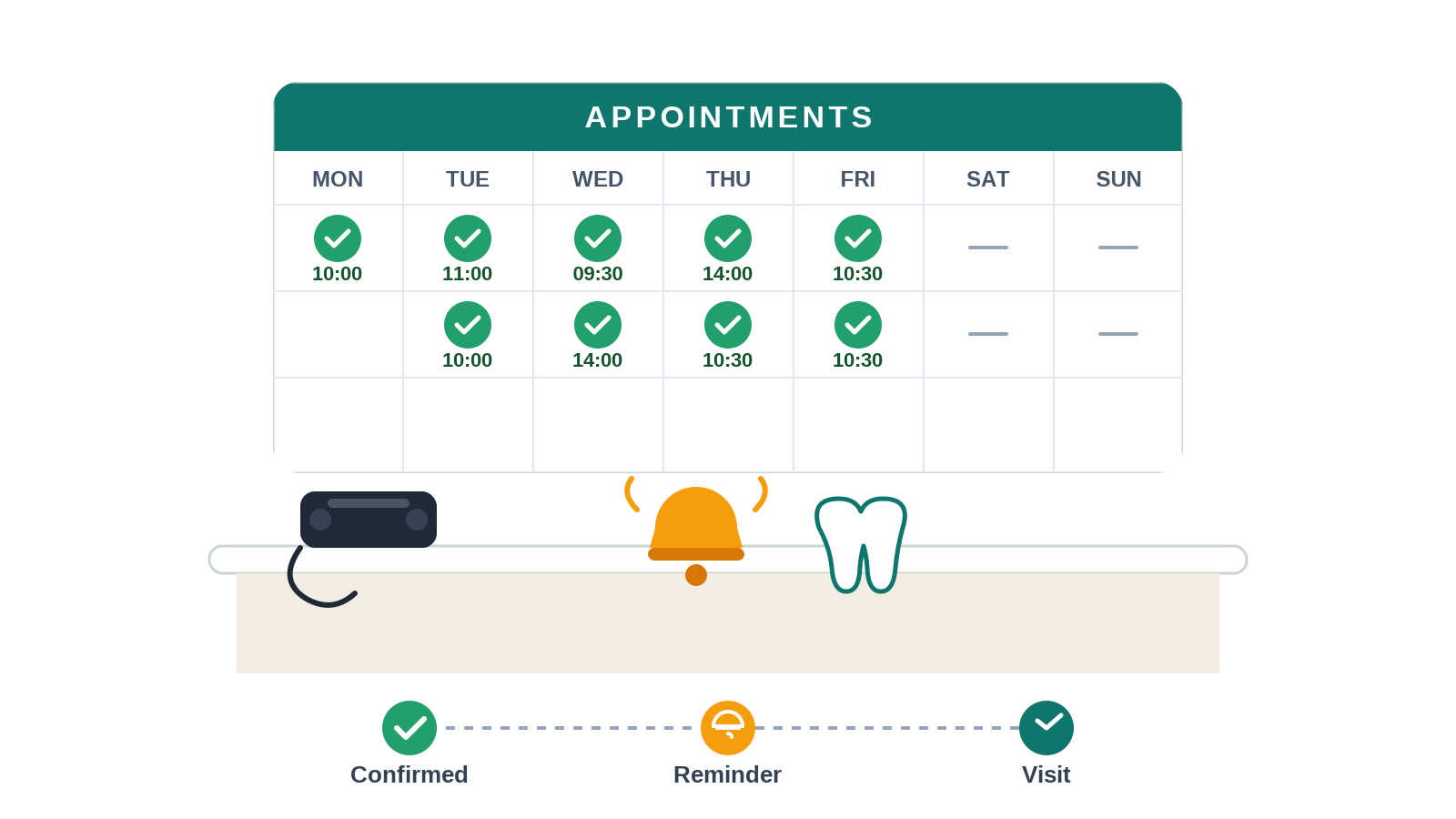
A patient rings at lunchtime and books a check-up for Thursday. By Thursday morning, the slot is empty, the chair is idle, and no one knows why. The direct answer is this: dental clinic appointment booking automation works when confirmation, reminders, and no-show follow-up are one flow, not three separate jobs.
This guide is for dental practice owners and front-desk managers who want fewer empty chairs without adding phone calls to an already busy day. It stays on the dental booking flow: how a request becomes a confirmed visit, what happens when a patient goes quiet, and what to do after a no-show.
What a booking actually has to survive
A booking is not finished when a time is picked. It has to survive a busy week, a forgotten date, and a phone that goes unanswered.
Most failed bookings fail in the same places. The patient never confirmed, the reminder never arrived, or the reminder arrived in a form the patient ignores.
A diary full of unconfirmed visits looks busy. It is not busy; it is uncertain, and uncertainty is what leaves chairs empty.
So judge any booking setup by the whole journey. Request, confirmation, reminder, visit, and what happens when the visit does not happen.
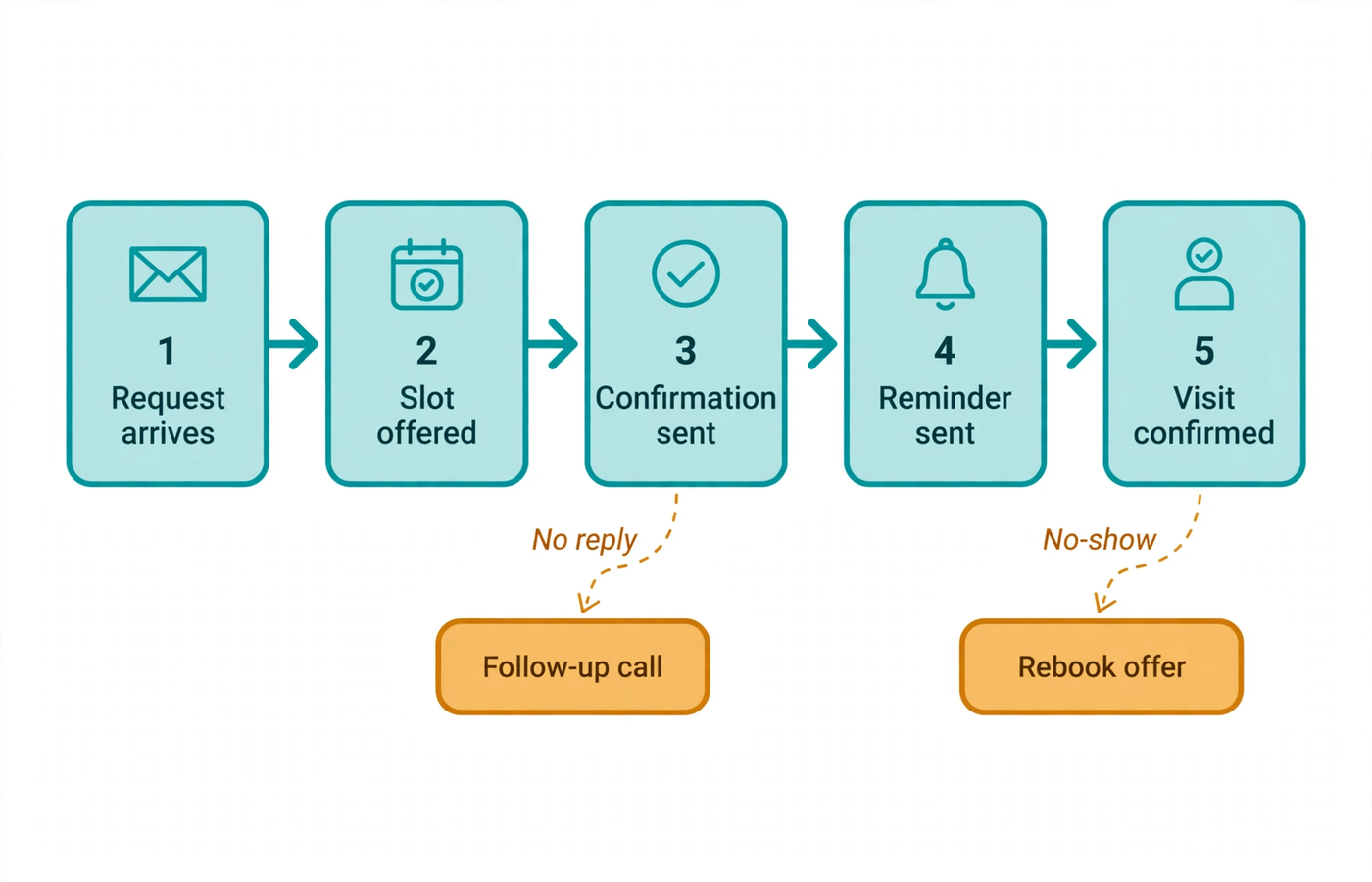
From first request to confirmed visit: confirmation, reminders, and the two branches every practice needs.
Confirm the visit while the patient is still listening
Confirmation should happen in the same conversation as the booking. Ask the patient to confirm the date, time, and treatment type before you end the call.
Send the confirmation in writing straight away. A text or email gives the patient something to check, and gives your team a record to point to.
Ask for a reply, not just a read. A simple yes in reply turns a pencilled slot into a commitment the patient has made themselves.
Record the reply against the appointment. When a patient later says they were never told, the record settles it in seconds.
Keep the confirmation short. Date, time, practice name, and what to bring, and nothing else competing for attention. Our guide to AI appointment booking assistants covers how availability and confirmation work together, and where exceptions still need a person.
Reminders that patients read and act on
One reminder is rarely enough. A booking made three weeks out needs a nudge the day before, and a short prompt on the morning itself.
Time reminders around the patient's day. An evening message before a morning visit is read; a message sent at 3 a.m. is buried by breakfast.
Every reminder should carry the same four facts. Date, time, practice, and a way to confirm, move, or cancel in one tap.
Let patients reply to the reminder. A reply that says running late is useful; a reminder with no reply path is a dead end.
Watch which reminders get answers. If evening texts get replies and morning emails do not, send more of what works.
When a patient does not reply
Silence after a confirmation is a signal, not a verdict. Treat it as a booking at risk, and act while there is still time to save the slot.
Send one follow-up in a different channel. A patient who ignores email may answer a text, and a patient who ignores text may answer a call.
Keep the follow-up short and kind. Ask whether the visit still works, and offer one alternative time instead of a list to choose from.
Set a deadline for the follow-up. If the patient has not replied by the morning of the visit, the slot goes back on the list for someone else.
Log the outcome either way. A patient who never replies to texts needs a call next time; a patient who always replies needs nothing more.
No-shows: follow up fast, then offer a new slot
A no-show is a patient to recover, not a name to blame. Contact them the same day, while the visit is still fresh in their mind.
Ask what happened before you offer a new time. A patient who was ill needs sympathy; a patient who forgot needs a reminder that works.
Offer one new slot in the same message. A patient who has to ring back to rebook often never does, and the gap stays open.
Track no-shows by cause, not just by count. Repeated forgetfulness and repeated illness need different fixes from your team.
The same fast follow-up thinking applies to missed calls. See our guide to missed-call follow-up automation for the wider pattern.
For repeat no-shows, change the arrangement. Ask for confirmation closer to the visit, or hold the slot only once it is confirmed.
What dental clinic appointment booking automation does, and what people still do
The system can take the request, offer real slots, send the confirmation, and send the reminders on schedule. That is the repetitive work.
People still set the rules. Which appointment types can be booked, how much notice a change needs, and what counts as urgent stays with the practice.
People also handle the exceptions. A patient in pain, a request the system cannot place, and a complaint all need a person, not a template.
Keep clinical judgement out of the automation entirely. The system asks, records, and routes; it never assesses symptoms or gives clinical guidance.
A disclosure before the recommendation: Devxer Pros is our own service at DevxerTech, built for dental practice intake and scheduling. It answers voice calls and website chat around the clock, books routine visits directly into the calendar, and sorts enquiries by how soon the patient needs to be seen.
The Devxer Pros page for dental clinics walks through a live example if you want to see the shape of it. You can also watch the demo video to see a call handled from first ring to booked visit.
Devxer Pros AI Receptionist Demo for Dental Clinics
A short demo of the Devxer Pros AI receptionist for dental clinics in action.
Watch on YouTubeA short checklist before you switch the diary on
- Confirmation in the same conversation. Every booking ends with a written confirmation and a reply asked for.
- Reminders on a schedule. A day-before reminder and a morning prompt, each with a way to confirm, move, or cancel.
- A plan for silence. One follow-up in a different channel, with a deadline before the slot is released.
- Same-day no-show follow-up. Contact the patient the same day and offer one new slot in the same message.
- Rules written down. Appointment types, notice periods, and escalation paths are decided by the practice, not the software.
- A weekly review. Check which reminders were answered and which bookings went quiet, then adjust the timing.
Frequently asked questions
Should every booking need a confirmation reply? Yes, for routine visits booked more than a day ahead. A reply turns a pencilled slot into a commitment, and it tells your team which visits are safe to rely on.
How many reminders should a patient get? Two is enough for most visits: one the day before and a short prompt on the morning. Add a third only for bookings made weeks ahead.
What should we do when a patient no-shows twice? Change the arrangement, not the patient. Ask for confirmation closer to the visit, and hold the slot only once it is confirmed.
Can automation handle urgent dental calls? No. It should record the caller's words and route the case to your team at once. Anything that sounds urgent needs a person, never an automated answer.
A practical takeaway
Confirmation, reminders, and follow-up are one flow. When each step hands cleanly to the next, fewer chairs sit empty.
Start with one change: confirm every booking in writing and ask for a reply. When dental clinic appointment booking automation works there, add the reminder schedule next. If you want a booking flow built around your appointment types, reminder timing, and no-show rules, talk to DevxerTech AI services about a setup that fits your practice.

