
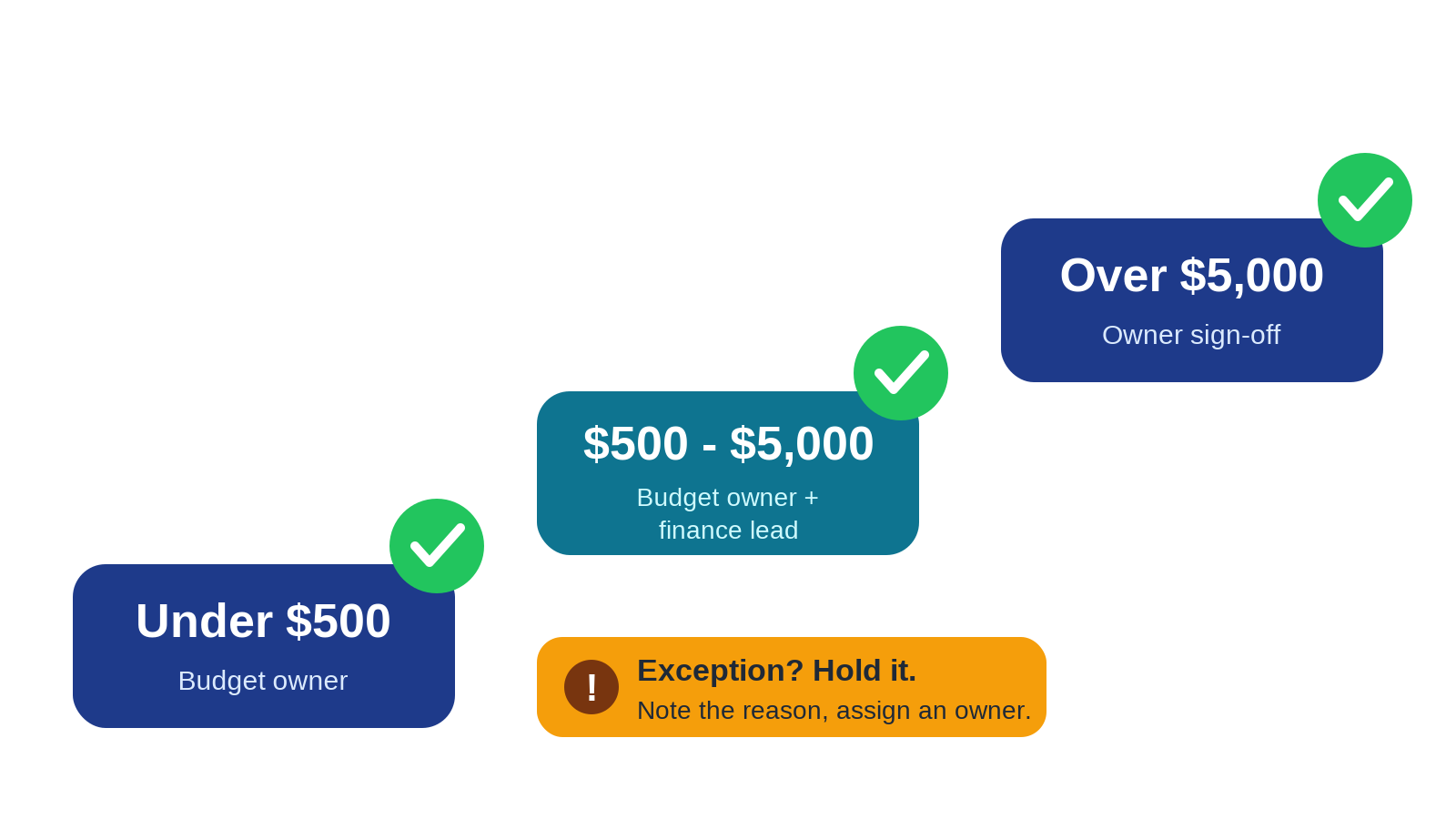
An invoice arrives, and the finance lead checks the amount, the approver, and the budget. When those checks are clear, the invoice moves. When they are not, it waits.
Good invoice approval automation for small business works best when the controls come first. The software routes the invoice, but people set the rules it follows.
This guide is for small business finance leads and invoice approvers who want a clear approval ladder, not another tool tour. The direct answer is this: set who approves which amounts, split the duties, and log every decision before you automate anything.
Start with the approval ladder
A ladder ties each amount band to a named approver. Small invoices need one approver, larger ones need two, and the largest need the owner.
Use your own spend to set the bands. Look at a few months of invoices and find where most of the count sits and where most of the money sits.
Keep the bands simple. Three rungs are enough for most small teams, and each rung should name a person, not a job title alone.
Label the amounts as examples in your policy. Your bands should fit your cash flow and risk, not a template from another business. Our guide to AI workflow automation for small business shows how routine steps can move on their own without losing the human check.
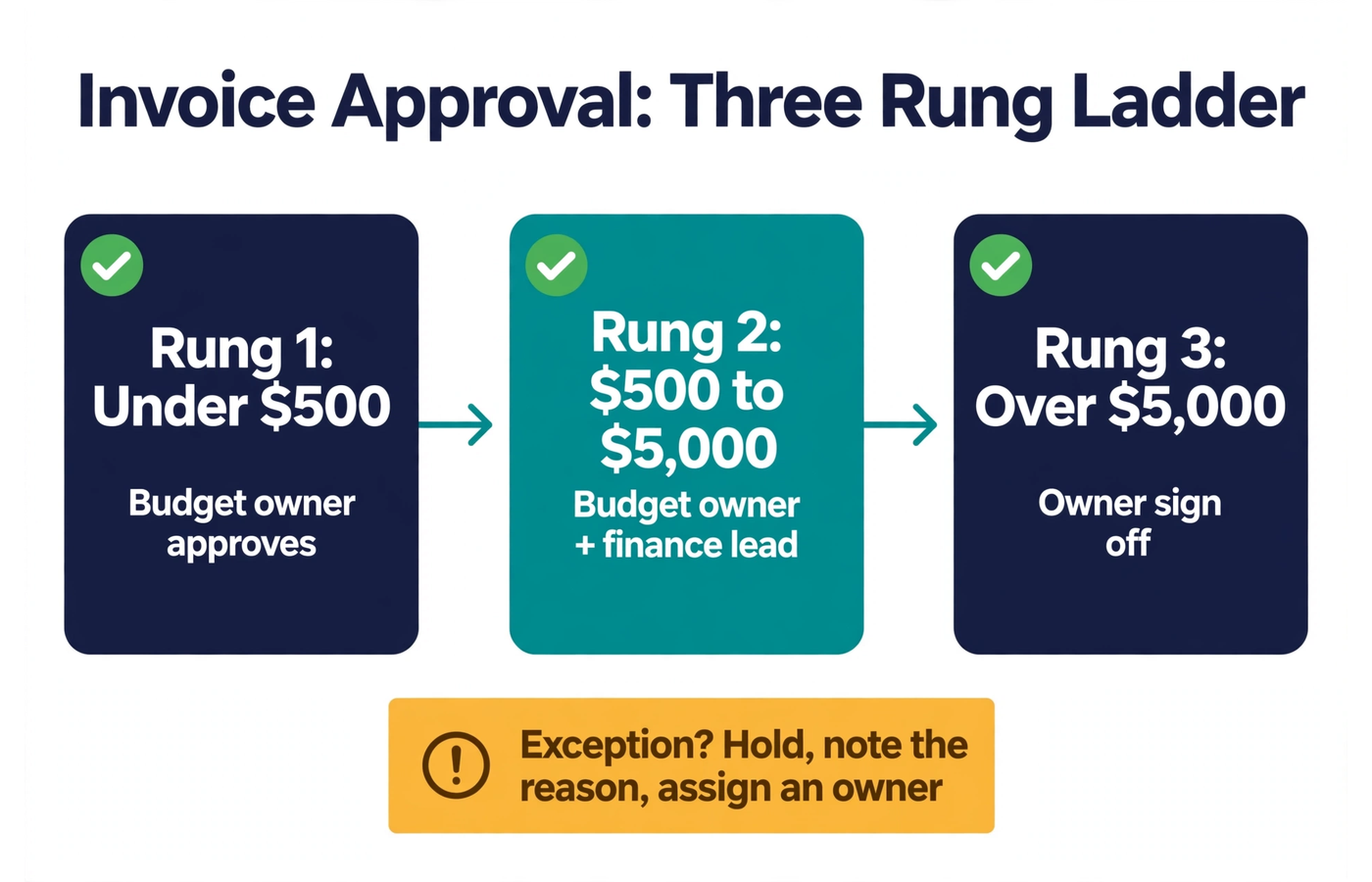
Three rungs, three approvers: small invoices to the budget owner, mid-range to owner and finance lead, large to the owner, with exceptions held and owned.
Review the bands once a year. Spend changes, and a ladder set three years ago can send small invoices to the owner and large ones to one person.
Split the duties so no one person controls a payment
Three jobs should never sit with one person: entering the invoice, approving it, and releasing the payment. In a small team, full separation is hard. Pair the person who enters invoices with a second person who approves, and keep payment release separate.
Vendor bank details need the same care. The person who changes bank details should not approve that vendor's invoices.
Check changes to vendor records with a second person. A quick call back on a known number stops the most common payment fraud route.
Give the auditor read-only access. They can follow the trail without changing a record.
Give every exception a reason and an owner
An exception is an invoice that fails a check. A price mismatch, a missing order, a duplicate number, or a changed bank detail.
Hold the invoice and write the reason in plain words. A vague status like error helps no one and hides the fix.
Assign one owner to each exception. The owner chases the vendor or the budget holder and records what changed.
Count exceptions by cause each month. The most frequent cause is usually a fix upstream, not a busier approver.
Set a time limit for each exception type. If it is not resolved in time, it moves up to the finance lead.
Keep an audit trail you can follow
Log every step on the invoice: who received it, who approved it, what changed, and when it was paid. Keep the original invoice file with the record. The extracted values are useful, but the original is the evidence.
A correction should add a new record, not erase the old one. The trail should show what changed and who changed it.
Store approvals with the invoice, not in email. When a supplier asks why payment is late, the answer should be one search away.
Clean records make this easier. See our guide to AI document processing for small business, which covers turning paper invoices into records your team can check.
Keep approval rules in one written policy. When a rule changes, note who approved the change and when it took effect.
A short review checklist: invoice approval automation for small business
- Ladder written down. Each amount band names its approver, and the bands fit your own spend.
- Duties split. No one person enters, approves, and releases the same payment.
- Exceptions owned. Every held invoice has a reason, an owner, and a time limit.
- Trail complete. Receipt, approval, changes, and payment are logged on the invoice.
- Vendor changes checked. Bank detail changes need a second person and a call back.
- Rules reviewed yearly. Bands, approvers, and limits are checked and updated once a year.
Frequently asked questions
Do we need to approve every small invoice by hand? No. Low value invoices that match an order can pass a set check with one approver, while larger ones still need a person.
What if our team is too small to split duties? Pair the two jobs you can split, and add a second check on payments and vendor changes. A small team can still keep the key split.
What should we do with an invoice that has no order? Hold it and ask the budget owner to confirm the spend in writing. Then record that confirmation with the invoice.
A practical takeaway
Controls first, software second. A clear ladder, split duties, and a full trail make automation safe to use.
Start with one amount band and one exception rule. When invoice approval automation for small business works there, add the next band. If you want an approval workflow built around your amounts, approvers, and exceptions, talk to DevxerTech AI services about a setup that fits the way you work.

